Software Preview
BUILT FOR
THE SHOP FLOOR
Real-time 3D, parametric generators, direct machine execution — all in one interface.
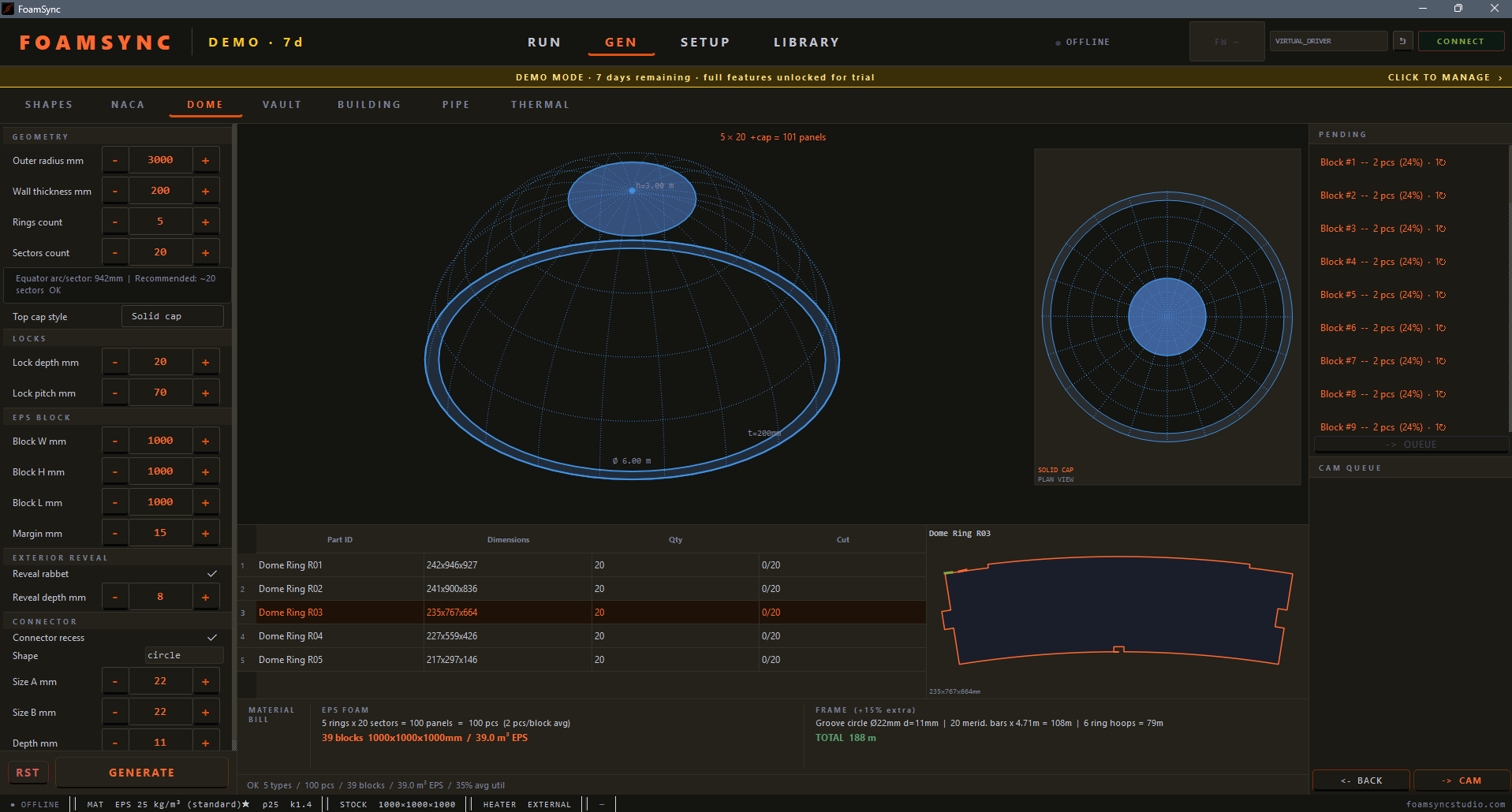
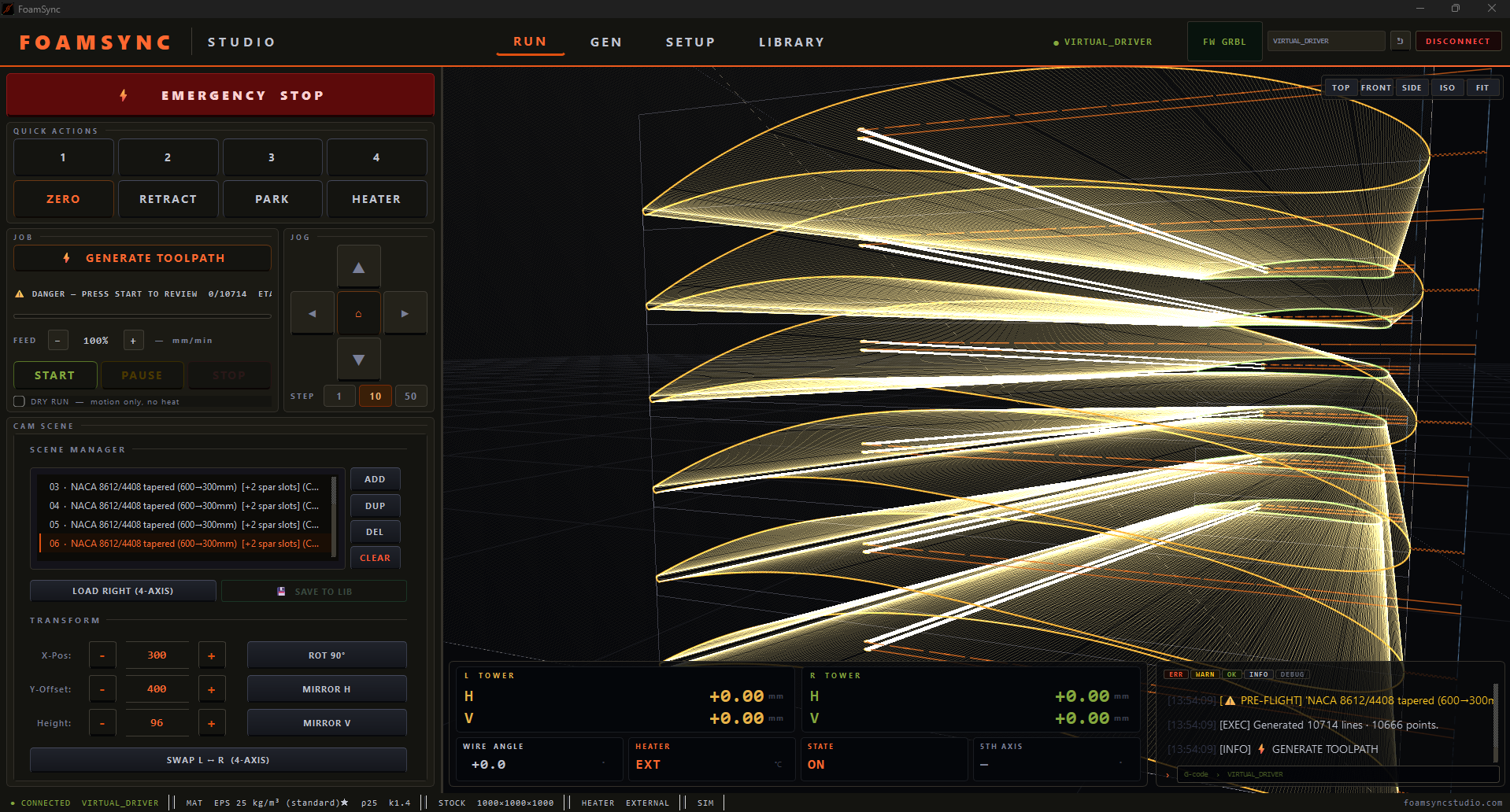
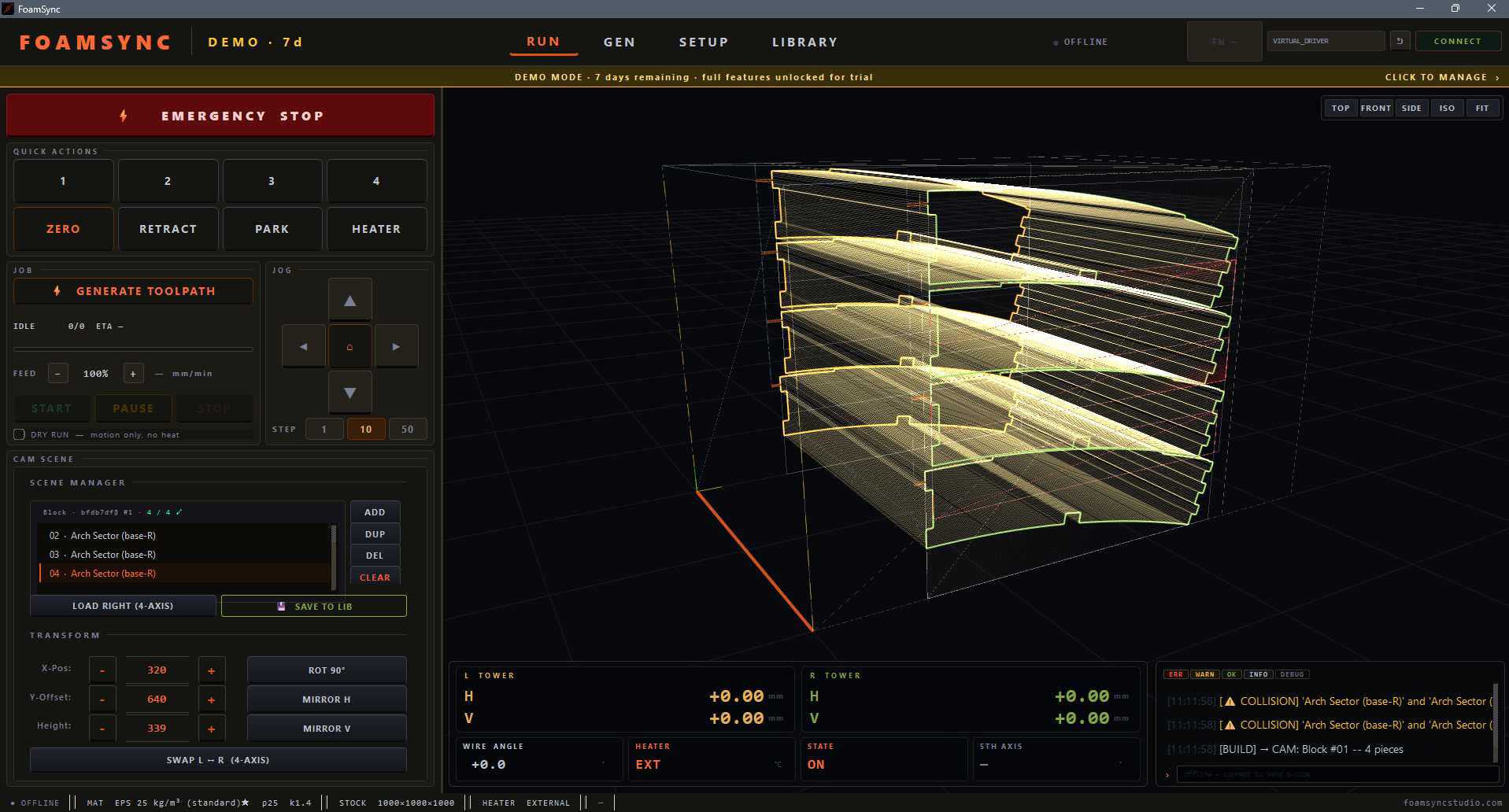
From parameters to toolpath in seconds. Dome, rounded building, NACA wing, vault, cornice and freehand generators — one professional 4-axis CAM suite. GRBL 1.1 compatible. Fully offline. Buy once.
Real-time 3D, parametric generators, direct machine execution — all in one interface.
Each generator computes geometry, nests parts into EPS blocks, adds interlocking joints, and queues the full production job. No manual CAD. No intermediate files.
Define outer radius, wall thickness, ring and sector count. The system calculates all panels, generates interlocking connector recesses, nests them into EPS blocks, and pushes the full CAM queue. A 6-meter dome in under 5 minutes.
Standard and tapered 4-axis profiles. Root/tip NACA codes, chord, taper ratio. Full synchronised twisted wing toolpath.
Semicircular and custom arch profiles for tunnels, building vaults, arched structures. Auto-ringed with interlocking locks.
Shell halves for pipeline thermal insulation. Matched half-shells with groove locks, nested per EPS block.
Import any profile from Inkscape or Illustrator. Mirror, rotate, duplicate, position freely in material block. Multi-model scenes, full 4-axis toolpath, production block queue advances automatically.
Corner modules and wall panels with frame grooves for curved-wall structures, sets and props. Auto-nested, lock-jointed, queued per EPS block.
Classical moulding profiles — cove, ovolo, ogee, cyma reversa, bevel, bead. Set height and projection; cut as a constant section and split into pieces along the run.
Draw any closed profile on a snapping grid — straight or curved (arc) edges, inner cut-outs, mirror symmetry. Set the real part size or fit it to the foam block, pick a quantity, and the cut-safe nester lays the copies out. Custom shapes with no CAD.
Every step from geometry to machine execution in one interface. No file exports. No G-code editors. No parallel port adapters from 2003.
Set radius, chord, thickness, ring count
Geometry computed, nested, joints added
3D toolpath preview, adjust wire path
Connect GRBL 1.1, press START
Queue advances automatically
Hardware-bound licence. Buy a perpetual key or subscribe monthly. Prices in USD · 12 months of updates included · 7-day virtual trial. Pro is sold per pack — mix only the workflows you need.
Send your Hardware ID to receive your license key. We respond within 24 hours on business days.